Committing code into source control is easy
– too easy! (Makes you wonder why the previous point seems to
be so hard.) Anyway, what you end up with is changes and files
being committed with reckless abandon. “There’s a
change somewhere beneath my project root – quick – get
it committed!”
What happens is one (or both) of two things:
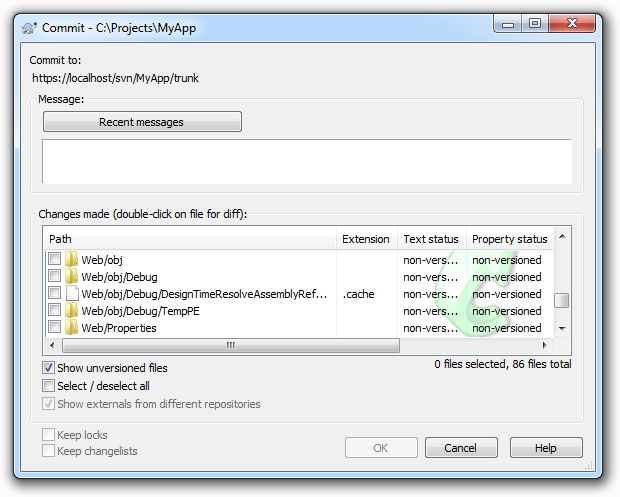
Firstly, people inadvertently end up with a whole bunch of junk
files in the repository. Someone sees a window like the one below,
clicks “Select all” and bingo – the repository
gets polluted with things like debug folders and other junk that
shouldn’t be in there.
Or secondly, people commit files without checking
what they’ve actually changed. This is real easy to do once
you get things like configuration or project definition files where
there are a lot going on at once. It makes it really easy to
inadvertently put things into the repository that simply
weren’t intended to be committed and then of course
they’re quite possibly taken down by other developers. Can
you really remember everything you changed in that config
file?
The solution is simple: you must inspect each
change immediately before committing. This is easier than it
sounds, honest. The whole “inadvertently committed
file” thing can be largely mitigated by using the
“ignore” feature many systems implement. You never want
to commit the Thumbs.db file so just ignore it and be done with it.
You also may not want to commit every file that has changed in each
revision – so don’t!
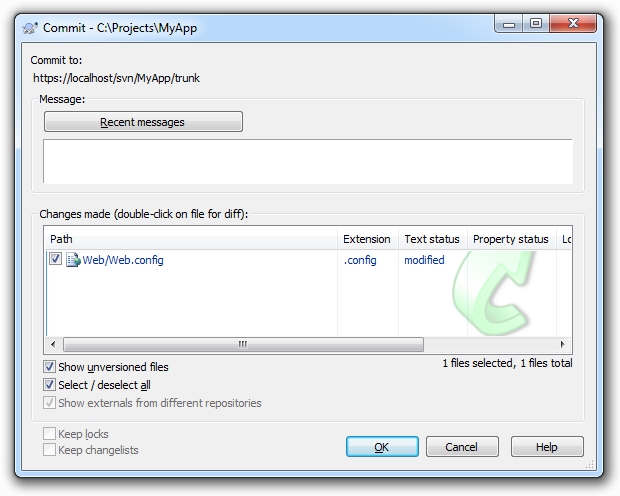
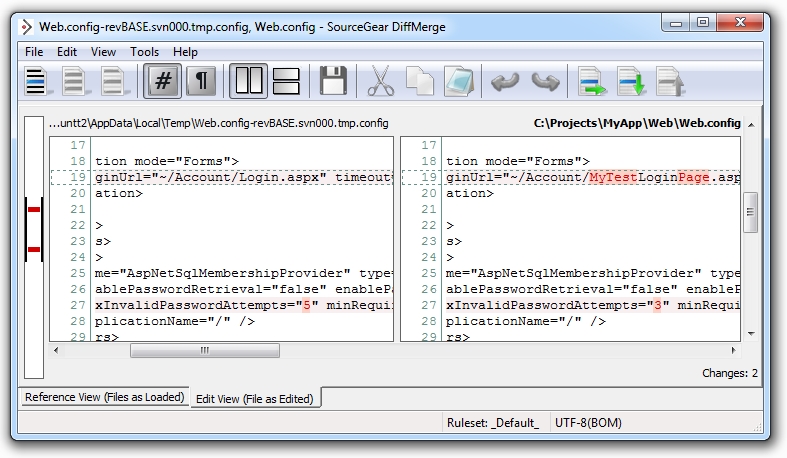
As for changes within files, you’ve usually
got a pretty nifty diff function in there somewhere. Why am I
committing that Web.config file again?
Ah, I remember now, I wanted to decrease the
maximum invalid password attempts from 5 down to 3. Oh, and I
played around with a dummy login page which I definitely
don’t want to put into the repository. This practice of
pre-commit inspection also makes it much easier when you come to
the next section…